Letras para Discord: Fancy Fonts for Your Name, Server and Channels (2026 Guide)
Discord is one of the best places to use fancy letters. Your display name, your server nickname, your server’s channels and your About Me can all show styled text like 𝐁𝐨𝐥𝐝, 𝓈𝒸𝓇𝒾𝓅𝓉 or 𝔊𝔬𝔱𝔥𝔦𝔠, and people notice. But there’s one place it won’t work at all, and a few traps that make fancy names look broken or impossible to find.
This guide covers exactly where letras para Discord work, how to make them in a few seconds with our letter converter, which styles look best, and the accent problem that trips up every Spanish speaker.
Why Use Fancy Letters On Discord?
Discord servers can have thousands of members, and in a busy chat every name looks the same. A styled display name stands out in the member list and in messages. Server owners use fancy letters for a different reason: styled channel names and category headers make a server look organized and designed rather than thrown together.
These letters aren’t a font you install. They’re Unicode characters, special symbols that look like styled letters. That’s why you can copy them anywhere and they keep their look, as long as the platform accepts them.
Where Fancy Letters Work On Discord (And Where They Don’t)
This is the part most guides skip. Since Discord moved to its new name system, your account has two names, and they follow different rules:
- Username: no fancy letters. According to Discord’s own help article, usernames can only use Latin letters a to z, numbers, underscores and periods, are forced to lowercase, and must be 2 to 32 characters long.
- Display name: yes. Display names can be 1 to 32 characters and can include special characters, spaces, emojis and non-Latin characters. This is where your fancy name goes.
- Server nickname: yes. You can set a different name per server, and it works the same way as your display name.
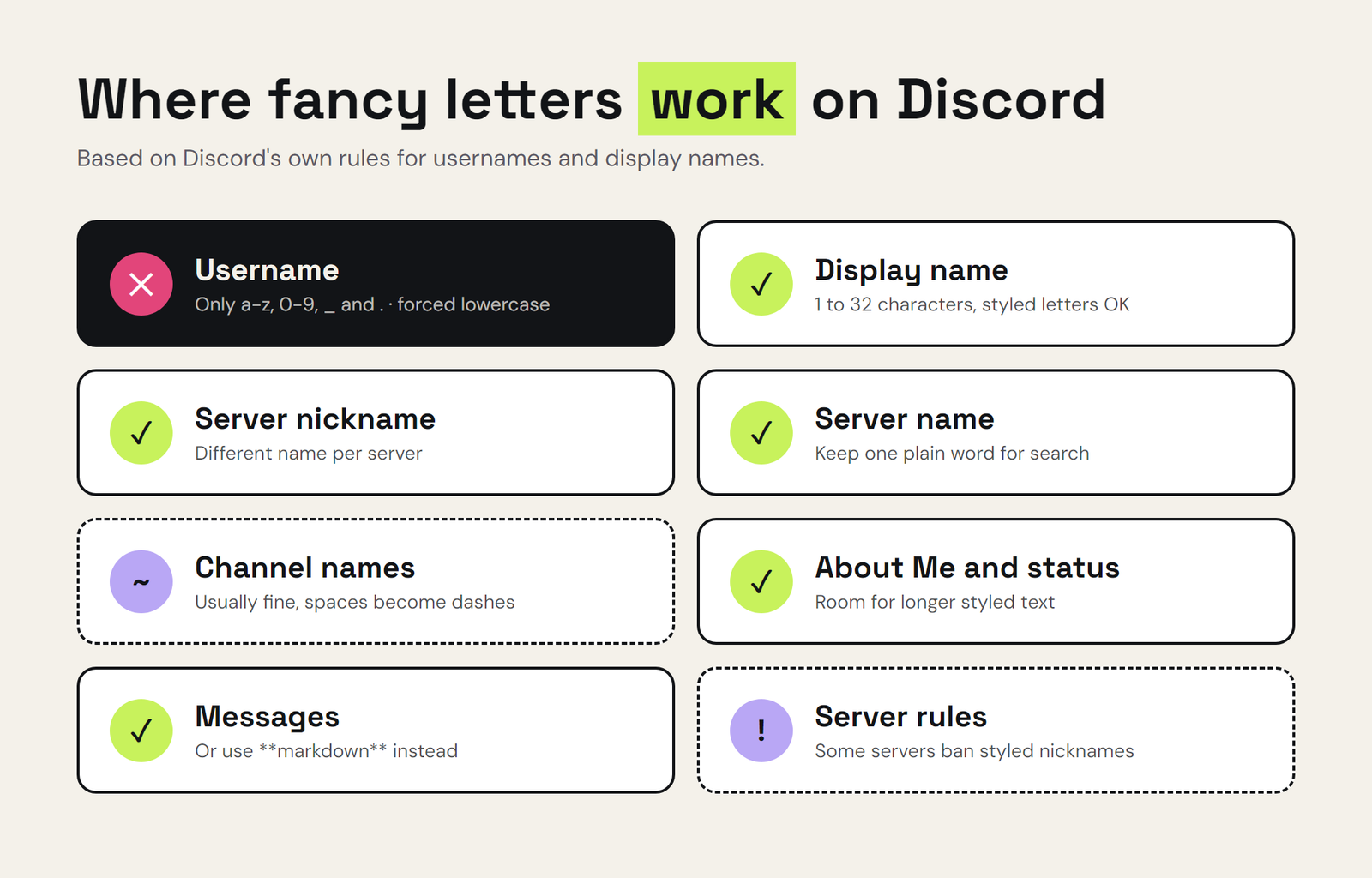
| Where | Fancy letters? | Tip |
|---|---|---|
| Username | No | Only a-z, 0-9, _ and . are allowed |
| Display name | Yes | Max 32 characters, and styled letters may count as more than one |
| Server nickname | Yes | Check the server rules first, some ban styled names |
| Server name | Yes | Keep a plain word in it so people can find it |
| Channel and category names | Usually | Text channels turn spaces into dashes |
| About Me and status | Yes | Great place for longer styled text |
| Messages | Yes | Or use Discord’s built-in formatting instead |
How To Make Letras Para Discord Step By Step
- Open the converter and type your name or text.
- Scroll through the styles and pick the one you like. Try a few, since some look very different on dark mode.
- Copy it with the copy button.
- In Discord, open User Settings, then your profile, and paste it into Display Name. For a server nickname, right-click the server icon and edit your server profile instead.
- Save and check it in a chat. If you see empty boxes instead of letters, see the compatibility section below.
Best Font Styles For Discord
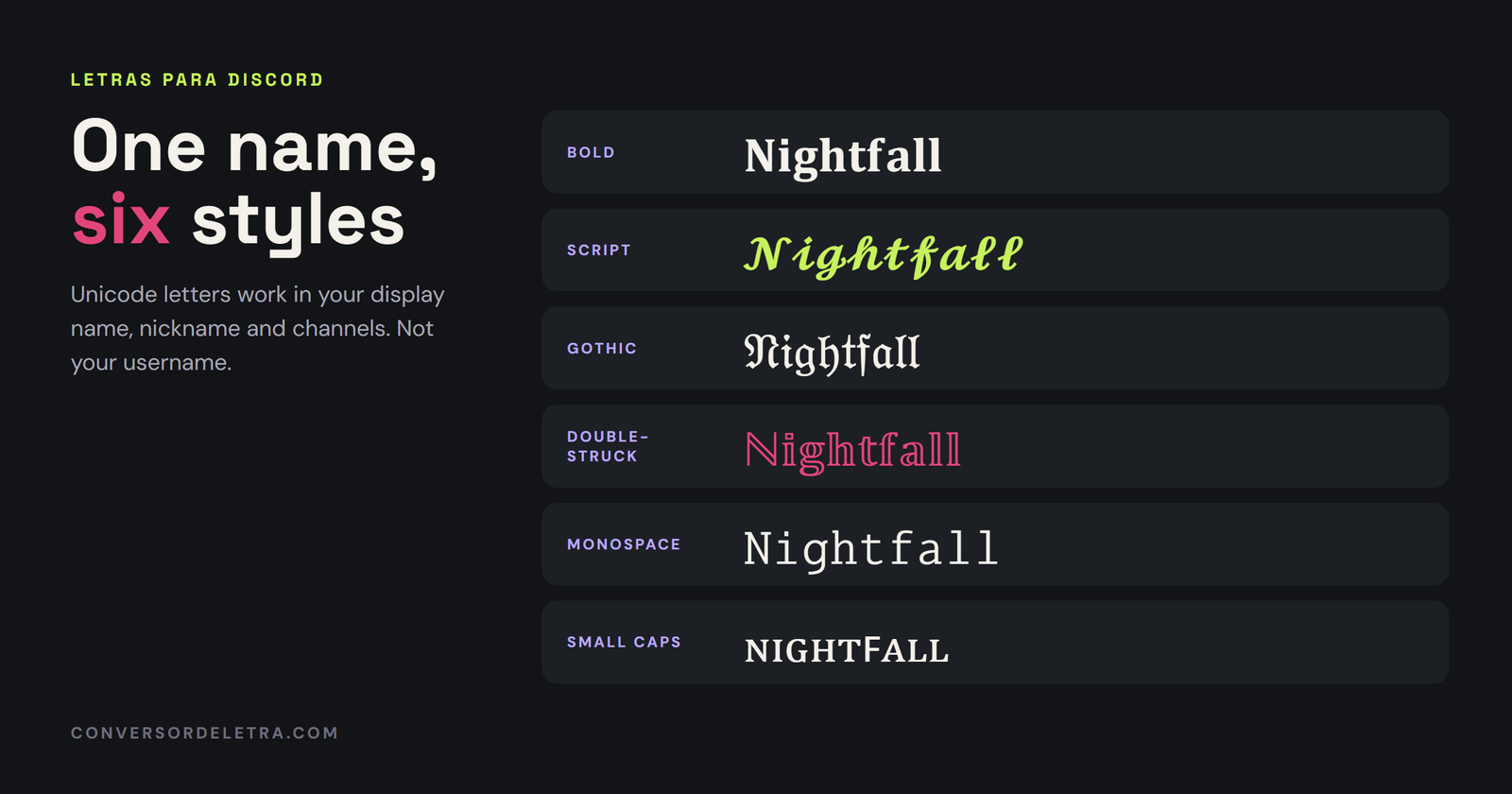
Not every style works equally well on Discord’s dark background. These are the ones that hold up best:
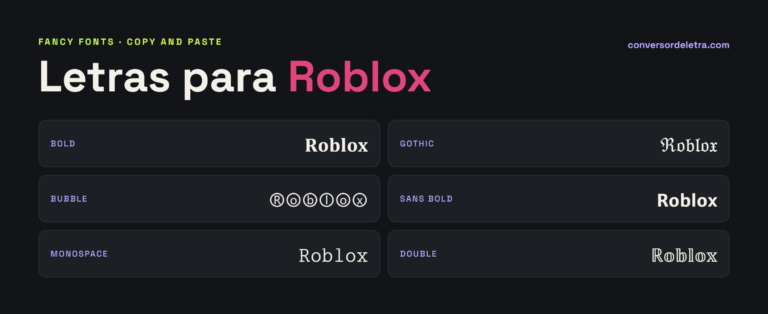
- Bold (𝐁𝐨𝐥𝐝): clean, readable, and works almost everywhere. The safest choice.
- Script (𝓢𝓬𝓻𝓲𝓹𝓽): elegant and popular for aesthetic servers and VTuber names.
- Gothic (𝔊𝔬𝔱𝔥𝔦𝔠): great for gaming clans, RPG servers and darker themes. Harder to read in long text.
- Double-struck (𝔻𝕠𝕦𝕓𝕝𝕖): modern and techy, nice for channel categories.
- Monospace (𝙼𝚘𝚗𝚘): looks like code, perfect for bot channels and developer servers.
- Small caps (sᴍᴀʟʟ ᴄᴀᴘs): subtle and tidy, popular for channel names.
If you use fancy letters on other platforms too, our guides to letras para instagram and fuentes para tiktok cover what works there.
Discord’s Built-In Formatting vs Fancy Letters
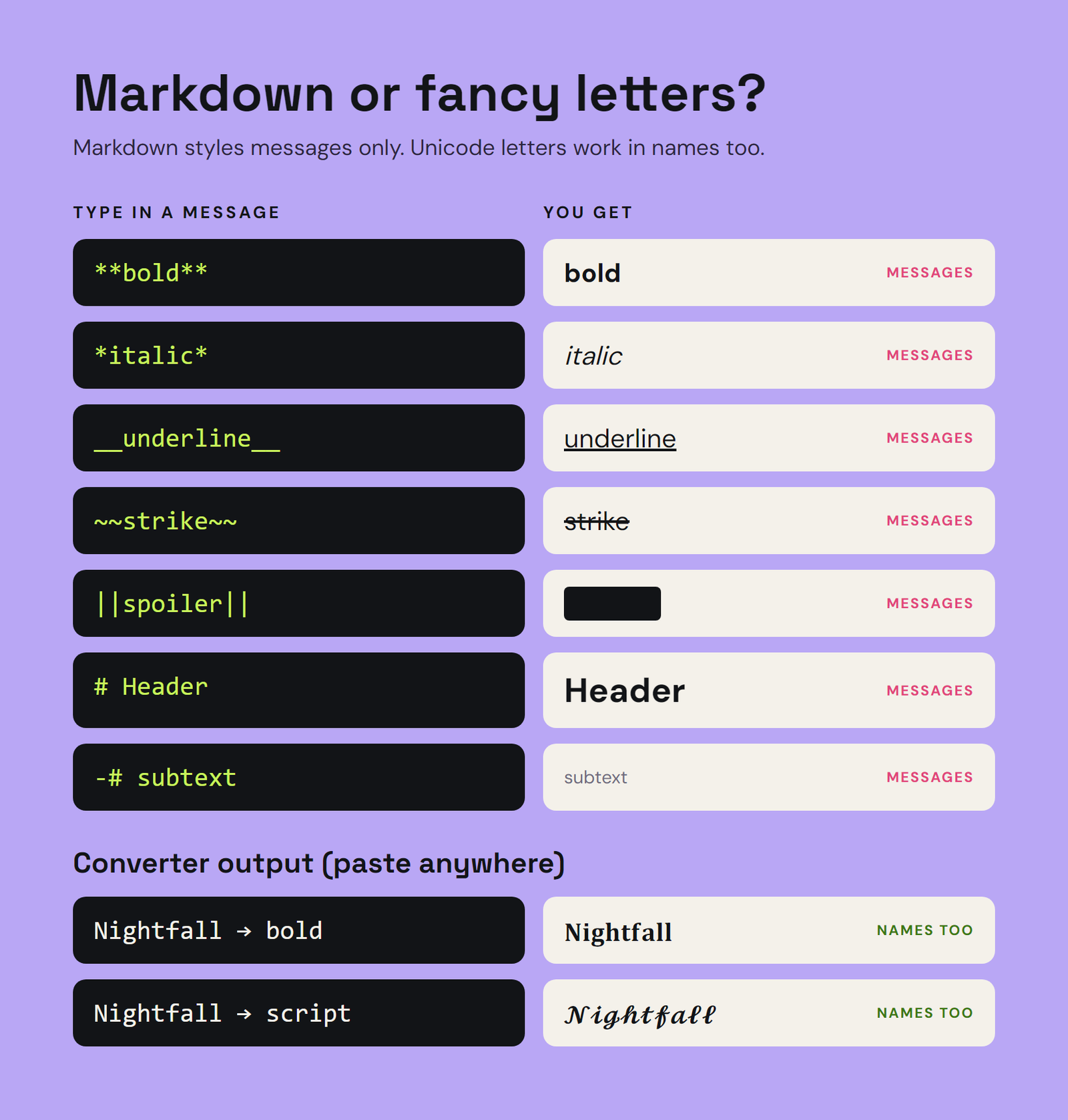
For messages, you might not need fancy letters at all. Discord has its own formatting, explained in its Markdown Text 101 guide. The difference is that built-in formatting only works inside Discord messages, while Unicode letters work in names and anywhere you paste them.
| Effect | Type this in a message | Works in names? |
|---|---|---|
| Bold | **text** | No, use Unicode bold |
| Italic | *text* | No, use Unicode italic |
| Underline | __text__ | No |
| Strikethrough | ~~text~~ | No |
| Spoiler | ||text|| | No |
| Big header | # text (at the start of a line) | No |
| Small grey subtext | -# text (at the start of a line) | No |
The Problem With Ñ And Accents
This one catches almost every Spanish speaker. Unicode’s styled alphabets only include the basic letters A to Z. There is no bold ñ, no script é, no gothic ¿. So when you convert a name like “Diseño” or “Ángel”, the converter keeps those letters plain, and you get a mix like 𝓓𝓲𝓼𝓮ñ𝓸 where one letter looks different from the rest.
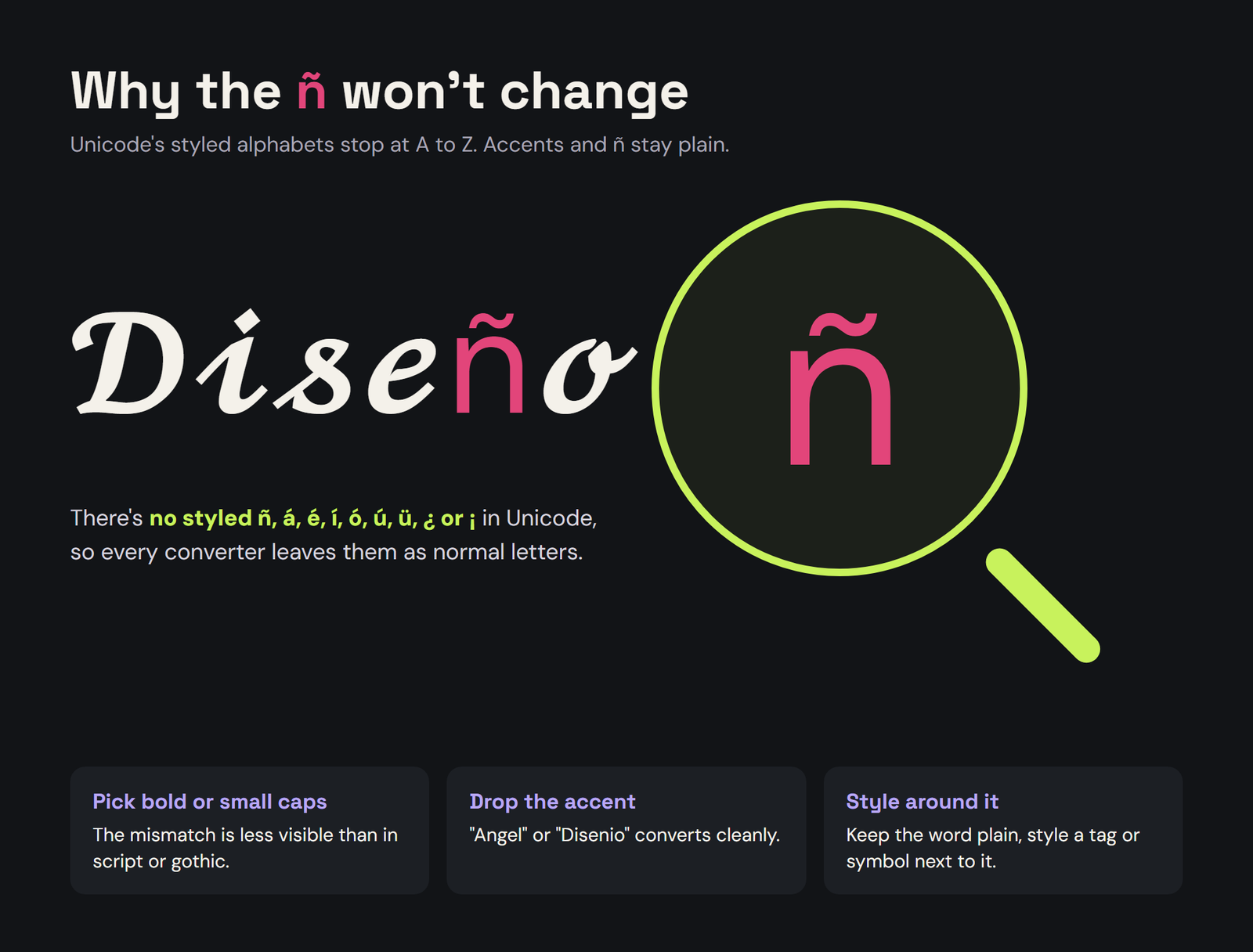
A few ways around it:
- Pick a style where the mismatch is less obvious. Bold and small caps blend better with plain accented letters than script or gothic.
- Rewrite the name. “Disenio” or “Angel” without the accent will convert cleanly, if you don’t mind the spelling change.
- Style only part of it. Keep the accented word plain and style a tag or emoji around it.
Compatibility And Accessibility
- Empty boxes. If someone’s phone or computer doesn’t have a font with that character, they’ll see empty squares instead of letters. Bold and italic are the most widely supported. Rare styles are the riskiest.
- Search and mentions. Other people search for you by typing normal letters. A fully styled display name can make you harder to find, though your plain username still works for @mentions and friend requests.
- Screen readers. Screen readers often read fancy letters badly, sometimes letter by letter or as symbols. If your server has members who use one, keep channel names plain or add a plain version.
- Server rules. Many servers require readable nicknames, and moderators can change yours. Read the rules channel first.
- Length. Styled letters may count as more than one character, so a long name can hit the 32-character limit sooner than you expect.
Discord Name Ideas With Fancy Letters
- 𝓛𝓾𝓷𝓪 for an aesthetic or art server
- 𝔇𝔞𝔯𝔨𝔰𝔱𝔞𝔯 for gaming and RPG servers
- 𝕹𝖎𝖌𝖍𝖙𝖋𝖆𝖑𝖑 for a horror or clan server
- ᴄʜɪʟʟ ᴢᴏɴᴇ as a channel name
- 𝙱𝚘𝚝-𝚌𝚘𝚖𝚖𝚊𝚗𝚍𝚜 for a bot channel
- 𝔾𝕒𝕞𝕖𝕣 𝕃𝕠𝕦𝕟𝕘𝕖 as a voice channel
Need gaming name ideas? Our guide to nombres para free fire con letras especiales has plenty you can reuse on Discord.
Frequently Asked Questions
Can I use fancy letters in my Discord username?
No. Discord usernames only allow lowercase Latin letters a to z, numbers, underscores and periods. Use fancy letters in your display name or server nickname instead.
How do I change my Discord display name to fancy letters?
Convert your text with a letter converter, copy it, then go to User Settings, open your profile and paste it into Display Name. Save, and it shows everywhere on Discord.
Why do my fancy letters show as boxes on Discord?
The device viewing them doesn’t have a font that includes those characters. Bold and italic styles are the most widely supported, so try one of those.
Why doesn’t the ñ change style?
Unicode’s styled alphabets only cover the basic letters A to Z. There is no styled ñ or accented vowel, so converters leave them as plain letters.
Conclusion
Fancy letters are an easy way to make your Discord profile and server stand out. Put them in your display name, server nickname, channels and About Me, but not your username, which only takes plain lowercase letters. Stick to well-supported styles like bold or small caps when readability matters, watch out for ñ and accents, and you’re set. Head to the conversor de letras to make yours.